AWS Nitro Sandboxes Explained: Free VM Isolation for EKS Pods, ECS Tasks and EC2 (and How It Compares)
AWS Nitro Sandboxes give each EKS pod or ECS task its own hardware-isolated VM, free. Setup, limits, isolated vs confidential, and vs Lambda MicroVMs.
AWS Nitro Sandboxes let you run each container, pod or job in its own hardware-isolated lightweight VM on an EC2 instance you already pay for, so one compromised workload can't reach another. AWS made them available on 9 November 2026 for Amazon EKS (pods), Amazon ECS Managed Instances (tasks) and plain EC2 (with Firecracker). They come at no additional charge in all commercial AWS Regions.
AWS sells the feature for exactly the jobs AI agents create: running code you didn't write, from users or models, next to other tenants' code. Below is what Nitro Sandboxes are, how to turn them on in each service, the limits in the fine print, and how they compare with Lambda MicroVMs and Nitro Enclaves.
What are AWS Nitro Sandboxes?
A Nitro Sandbox is a lightweight virtual machine that runs alongside an EC2 instance (the "parent instance"), using vCPUs and memory the parent gives it. The Nitro Hypervisor enforces the boundary. According to the EC2 User Guide, a sandbox runs on the Nitro Hypervisor "the same way that an Amazon EC2 instance does", so its vCPUs run at instance-level performance. Code inside a sandbox can't read the parent's memory, and sandboxes are isolated from each other.
That's the key difference from normal containers. In a standard EKS cluster, pods on the same node share one Linux kernel, so a kernel bug or container escape can expose one workload to another. With Nitro Sandboxes, each pod gets its own kernel and its own VM (EKS User Guide).
AWS's 9 November announcement lists three ways to use them:
| Where | What gets its own sandbox | How you turn it on |
|---|---|---|
| Amazon EKS | Each pod | Set runtimeClassName: isolated-sandbox or confidential-sandbox in the pod spec (Kubernetes 1.36+) |
| Amazon ECS | Each task | Set the task definition's trusted execution isolationMode to ISOLATED_SANDBOX or CONFIDENTIAL_SANDBOX (ECS Managed Instances only) |
| Amazon EC2 | Whatever you launch | Enable Nitro Enclaves on the parent instance and launch sandboxes with Firecracker, the only supported VMM today |
Is it free? How much do Nitro Sandboxes cost?
There's no extra fee. AWS says "there are no additional charges for using Nitro Sandboxes". You pay the normal price for the EC2 instance (or the EKS/ECS compute) the sandboxes run on, plus any other services you use (EC2 User Guide).
The hidden cost is capacity. Each sandbox takes memory from a pool the parent reserves at boot, plus 2 MiB of overhead, plus another 16 MiB per virtual device in confidential mode. On instances with two threads per core (most Intel and AMD types), a physical core runs either a sandbox or the parent at any given moment. AWS says that caps sandbox compute at "about half the vCPUs". Graviton instances have one thread per core, so they don't have that cap.
Isolated vs confidential: which mode do you need?
Both EKS and ECS give you two modes. The question is who you're protecting from whom.
| Isolated | Confidential | |
|---|---|---|
| Who is trusted | The node or parent instance | Only the sandbox itself |
| Protects against | A malicious or compromised workload attacking the node or other pods | A compromised node, or the node's operators, reading your workload's data |
exec, logs, process listing from the node |
Allowed | exec, stdin and process listing denied |
| Attestation | Not required | Nitro Security Module attestation; gate AWS KMS keys on PCR values |
| Typical use | AI agents running user or model-generated code, multi-tenant CI, build jobs | Regulated data, secrets you don't want the platform team to see |
On EC2 directly, the equivalent choice is confidential mode (the default: the parent can't read sandbox memory, attestation available) versus direct mode (the parent can read and write sandbox memory, no attestation, "equivalent to that of a nested virtual machine"). You choose at launch and can't change it later.
AWS stresses one point repeatedly: attestation only protects you if something checks it. The EKS guide warns that without a KMS key policy using kms:RecipientAttestation:PCR conditions, "the attestation measurement is recorded but never verified" (EKS User Guide).
How to enable Nitro Sandboxes on EKS, ECS and EC2
On Amazon EKS
- Use Kubernetes 1.36 or later. If you create clusters with
eksctl, pass--versionexplicitly, because its default is older. - Easiest path: EKS Auto Mode. AWS says Auto Mode supports Nitro Sandboxes "with no additional setup" and provisions a compatible node for you.
- With managed or self-managed node groups, build a custom AMI with the Nitro Sandbox runtime, use a supported instance type, and enable Nitro Enclaves (
EnclaveOptions.Enabled=true) in the launch template. Without that setting, the node "never advertises sandbox capacity". - Opt pods in by setting
runtimeClassName. For Deployments, Jobs and other controllers, put it inspec.template.spec, not on the controller.
This is AWS's minimal example pod from the isolated-mode guide:
apiVersion: v1
kind: Pod
metadata:
  name: my-app
spec:
  runtimeClassName: isolated-sandbox
  containers:
  - name: main
    image: public.ecr.aws/amazonlinux/amazonlinux:2023
    command: ["sleep", "3600"]
    resources:
      limits:
        cpu: "1"
        memory: 512Mi
For code that must not touch the network, AWS adds the pod annotation sandbox.amazonaws.com/network-isolated: "true". The sandbox then boots with no network device at all. HTTP and TCP probes and kubectl port-forward stop working, so you'll need exec probes. AWS also notes this "is not absolute isolation", because a vsock channel to the guest remains.
On Amazon ECS
Isolated and confidential tasks are a feature of ECS Managed Instances, not Fargate or the classic EC2 launch type. When you register a task definition, set the trusted execution configuration's isolationMode to ISOLATED_SANDBOX or CONFIDENTIAL_SANDBOX. The default is SHARED. Confidential mode also requires a base64-encoded attestationPolicy (ECS API reference). AWS pitches this as isolation "similar to AWS Fargate", while keeping instance-type choice, bin-packing several tasks per instance, and Capacity Reservations (ECS Developer Guide).
On plain EC2
Launch a supported instance with Nitro Enclaves enabled, then create sandboxes with Firecracker through the Nitro Enclaves driver on Linux. You bring your own AMI, orchestration and networking. That's the most work, but it gives you the most control.
Nitro Sandboxes limits and gotchas
These come from the "Considerations and limitations" section of the EC2 User Guide. They're worth reading before you plan capacity:
- Density: up to 5 sandboxes per parent vCPU and 896 per instance. With CPU overcommit, the sandboxes together can have up to 5x the parent's vCPUs. Without it, they can't exceed the parent's vCPUs minus the first core.
- Minimum memory: AWS recommends at least 256 MiB per sandbox.
- Instance types: most current M, C, R, X, I and D families, plus G5, G5g, G6, G6e, Gr6, G7, G7e and P3dn. The smallest size in many families and most
.metalsizes are excluded. Flex instances (C7i-flex, M7i-flex and so on) are not supported. - No GPUs inside the sandbox: on GPU instances, a sandbox runs CPU workloads only. GPU passthrough is "currently unavailable".
- No snapshot, pause/resume or live migration, and you can't resize a running sandbox. If the parent stops, reboots or terminates, so do its sandboxes. Hibernation can't be enabled on the parent.
- IMDS leak risk: if the parent routes sandbox traffic (for example with NAT), a sandbox can reach the parent's instance metadata service and read its IAM role credentials. AWS says IMDSv2 with a hop limit of 2 doesn't stop this, and tells you to block traffic from sandboxes to
169.254.169.254on the parent. - EBS encryption isn't enough in confidential mode: the parent can read any block device it hands to a sandbox. To keep data private, encrypt it inside the sandbox with a KMS key that's only released to an attested sandbox.
- Shared network limits: one sandbox can exhaust shared resources such as the connection-tracking table, so set per-sandbox limits.
- Incompatible with nested virtualization, and with Windows Credential Guard in the same boot.
Nitro Sandboxes vs Lambda MicroVMs vs Nitro Enclaves: which should you use?
AWS's own decision rule in the EC2 docs is "Choose by how much of the machinery you want to run yourself". Here it is as a table:
| If you want… | Use | Why |
|---|---|---|
| No instances or networking to manage, plus pause/resume | Lambda MicroVMs | Serverless, per-second billing, suspend and resume with state, HTTPS endpoint per VM |
| To share your own instances between untrusted workloads | Nitro Sandboxes | No extra charge, works with EKS/ECS, bin-packs many sandboxes per instance |
| A tiny, locked-down job on highly sensitive data | Nitro Enclaves | No persistent storage, no interactive access, no external network, only a local socket |
| Your own hypervisor or OS | Nested virtualization | Intel instances only; can't be combined with Nitro Sandboxes |
Lambda MicroVMs gained x86 support on 11 November, two days after Nitro Sandboxes launched. Our Lambda MicroVMs guide covers its pricing, Regions and limits. If you're choosing instance families for sandbox hosts, our Graviton5 explainer covers AWS's newest Arm chips. Note that the Nitro Sandboxes support list currently includes M9g, C9g and R9g.
What developers are saying
Nitro Sandboxes are three days old, and we didn't find any public community discussion of the launch yet, on Reddit, Hacker News or elsewhere, so there are no reactions to quote. We'll add them as they appear.
These are the questions we'd expect teams to ask first. AWS's docs answer some of them:
- What's the performance overhead? AWS says sandbox vCPUs run at "EC2 instance level performance". It also says sandboxes don't get dedicated physical cores in the EKS setup, where vCPUs are time-shared and can be oversubscribed. AWS hasn't published latency or startup benchmarks, and we haven't tested it ourselves.
- Does it work with Fargate? No. On ECS it's Managed Instances only. On EKS it needs EC2-backed nodes (Auto Mode or node groups).
- How does it compare with gVisor or Kata Containers? AWS doesn't make that comparison in its docs. In broad terms, Kata also gives each pod its own VM, while gVisor intercepts system calls in user space. Nitro Sandboxes rely on the Nitro hypervisor and add attestation tied to KMS.
Editor's take
This is a quiet but significant launch. Until now, "strong isolation for untrusted code on AWS" meant either moving workloads to Fargate, building Firecracker or Kata clusters yourself, or using the brand-new (and comparatively pricey) Lambda MicroVMs. Nitro Sandboxes give EKS and ECS users VM-per-pod isolation for the price of the instances they already run, and turning it on takes one field.
The catch is in the operations. The IMDS credential leak, the ~50% compute ceiling on two-threads-per-core instances, unsupported flex instances and no GPU passthrough are all things a platform team has to plan around. Teams running AI coding agents on Kubernetes should try it first in Auto Mode. That's the path AWS recommends.
FAQ
What are AWS Nitro Sandboxes?
They're lightweight VMs managed by the Nitro Hypervisor that run on an EC2 instance's vCPUs and memory. Each container, pod, task or job gets its own kernel and hardware-enforced isolation. They launched on 9 November 2026 for EKS, ECS and EC2.
Are Nitro Sandboxes free?
There's no additional charge. You pay standard prices for the EC2 instances (and other AWS services) they run on.
How do I enable Nitro Sandboxes on EKS?
Use a Kubernetes 1.36+ cluster, ideally with EKS Auto Mode, and set runtimeClassName: isolated-sandbox (or confidential-sandbox) in the pod spec. With your own node groups, you need a custom AMI with the sandbox runtime and Nitro Enclaves enabled in the launch template.
Do Nitro Sandboxes work with Fargate?
No. On ECS, isolated and confidential tasks require ECS Managed Instances. On EKS, they need EC2-based nodes.
What is the difference between Nitro Sandboxes and Nitro Enclaves?
Enclaves are deliberately minimal: no persistent storage, no interactive access and no external networking, only a local socket to the parent. Sandboxes run ordinary, unmodified apps with storage and networking. Sandboxes also rely on Nitro Enclaves being enabled on the parent instance.
Nitro Sandboxes vs Lambda MicroVMs: what's the difference?
Lambda MicroVMs are serverless. AWS runs the instances, gives each VM an HTTPS endpoint and supports suspend/resume, and you pay per second. Nitro Sandboxes run on instances you manage, cost nothing extra, and don't support snapshot or pause/resume.
Which instance types support Nitro Sandboxes?
Most current general-purpose, compute-optimised, memory-optimised and storage-optimised families (from M5/C5/R5 up to M9g/C9g/R9g), plus some G-series GPU instances for CPU-only work. Flex instances, many smallest sizes and most metal sizes are excluded. Check the EC2 User Guide list before you choose.
Can I use GPUs inside a Nitro Sandbox?
Not currently. AWS says GPU passthrough is unavailable. On GPU instances, sandboxes run CPU workloads only.
Sources
- AWS What's New: Introducing AWS Nitro Sandboxes on Amazon EKS, ECS and EC2 (9 Nov 2026)
- Amazon EC2 User Guide: Isolate workloads with AWS Nitro Sandboxes
- Amazon EKS User Guide: Sandboxing with isolated and confidential pods
- Amazon EKS User Guide: Run a pod in isolated mode
- Amazon EKS User Guide: Get started with sandboxes
- Amazon ECS Developer Guide: Isolated and confidential tasks
- Amazon ECS API Reference: TrustedExecutionConfiguration
- Lambda MicroVMs developer guide
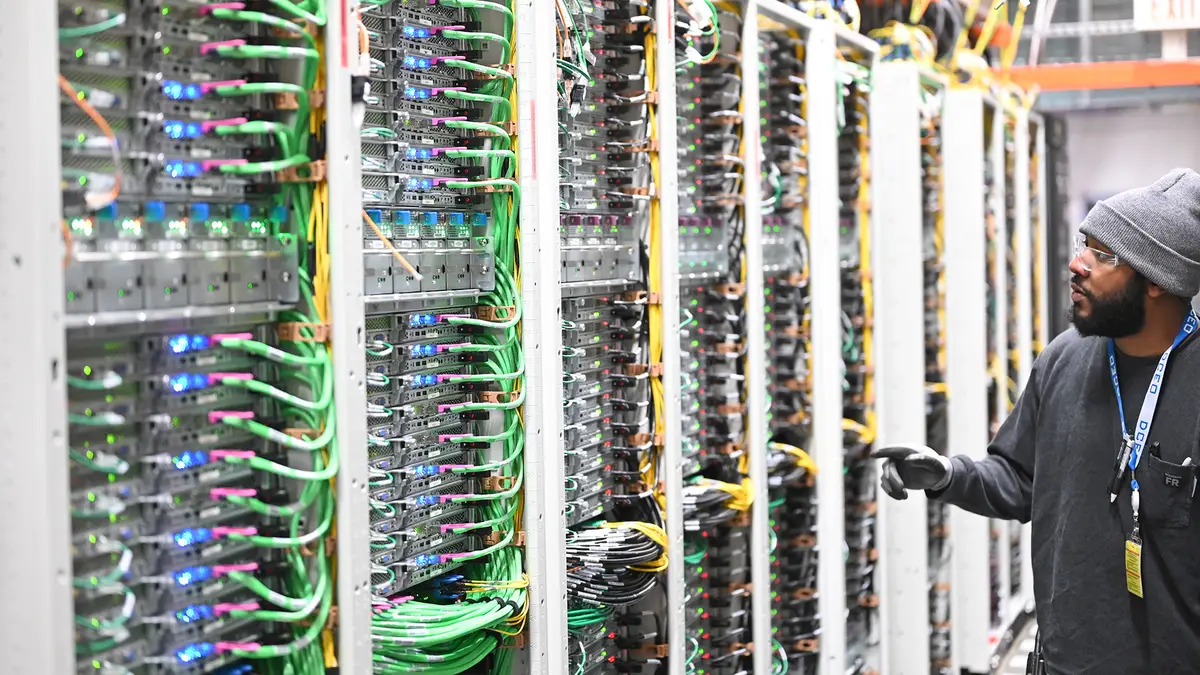
Featured image: Server racks inside an Amazon data center (Amazon photo; not specific to Nitro Sandboxes). Source