What Is AWS? A Plain-English Guide to Amazon Web Services (and How It Works Under the Hood)
The short answer
AWS (Amazon Web Services) is Amazon's cloud computing business. It rents out computing power, storage, databases, networking and AI tools over the internet, so that companies, governments and individual developers can run their software on Amazon's hardware instead of buying and maintaining their own servers. You pay for what you use, much like an electricity bill, and you can scale up or down in minutes.
If you have streamed a show, booked a ticket, paid a bill through an app or used a government portal recently, there is a good chance some part of that journey ran on AWS or a competitor like Microsoft Azure or Google Cloud.
What is AWS in simple words?
Think of AWS as a very large, very well-run utility company, except that instead of water or power it supplies computers.
Before cloud computing, a company that wanted to launch a website or app had to:
- Estimate how much traffic it would get.
- Buy physical servers, storage and networking gear for that peak.
- Rent space in a data centre, wire everything up and hire people to look after it.
- Hope its estimate was right. Too small and the site crashed on launch day; too large and expensive machines sat idle.
AWS changes that model. You open an account, choose the kind of machine or service you need, and it is ready in minutes. When a festive sale brings ten times the usual traffic, you add capacity. When the sale ends, you switch it off and stop paying for it.
That flexibility is the core idea behind "the cloud": computing as an on-demand service rather than as equipment you own.
Who uses AWS?
AWS customers range from a student hosting a portfolio site to large enterprises, start-ups, media companies, banks and public-sector bodies. Common uses include:
- Websites and mobile app back ends – the servers and databases behind an app.
- Data storage and backup – photos, videos, documents and database backups.
- Streaming and media – storing and delivering video and audio to viewers around the world.
- Data analytics – crunching large volumes of sales, sensor or log data.
- Artificial intelligence and machine learning – training models and running generative AI applications.
- Disaster recovery – keeping a copy of critical systems in another location in case one site fails.
What services does AWS offer?
AWS offers a very large catalogue of services, and the list keeps growing. You do not need to know most of them. These are the building blocks that matter for understanding what AWS does:
| Category | Key AWS service | What it does in plain English |
|---|---|---|
| Compute | Amazon EC2 | Rent virtual servers ("instances") by the second or hour |
| Serverless compute | AWS Lambda | Run a piece of code only when something triggers it, with no server to manage |
| Containers | Amazon ECS, Amazon EKS | Run packaged applications (containers), including Kubernetes |
| Object storage | Amazon S3 | Store files of any size and type, from images to backups |
| Relational databases | Amazon RDS, Amazon Aurora | Managed MySQL, PostgreSQL and similar databases |
| NoSQL database | Amazon DynamoDB | A fast key-value database that scales automatically |
| Content delivery | Amazon CloudFront | Serve website content from locations close to the user |
| Networking | Amazon VPC | Your own private, isolated network inside AWS |
| Identity and security | AWS IAM | Control who can access what in your account |
| Generative AI | Amazon Bedrock | Access foundation models through an API to build AI apps |
| Machine learning | Amazon SageMaker | Build, train and deploy machine learning models |
Editor's tip: If you are just starting out, learn five services first: EC2, S3, IAM, RDS and Lambda. Most beginner projects and most cloud certification syllabi build on them.
How does AWS work under the hood?
Regions and Availability Zones
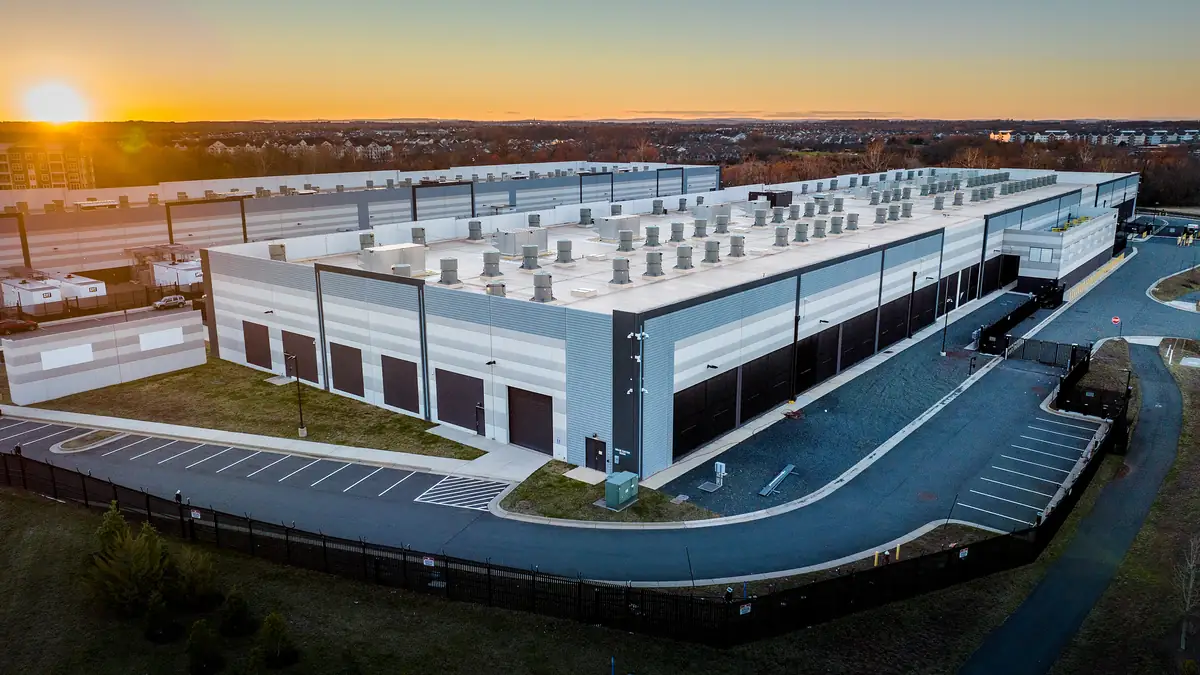
AWS runs its cloud from data centres grouped into Regions. A Region is a geographic area, such as Mumbai or Frankfurt. Each Region contains several Availability Zones (AZs). An AZ is one or more physically separate data centres with their own power, cooling and networking, linked to the other AZs in that Region by fast, low-latency connections.
According to AWS's Global Infrastructure page, AWS currently operates 124 Availability Zones across 39 geographic Regions, with plans for further Regions in Saudi Arabia and Chile. (AWS's developer documentation lists 34 Regions available to a standard AWS account; the higher figure also counts separately partitioned Regions such as AWS GovCloud (US) and the China Regions.)
The point of this design is resilience. If you run your application in two or three AZs, a fire, flood or power failure at one site should not take your service offline.
Does AWS have data centres in India?
Yes. AWS lists two Regions in India:
| Region name | Region code | Availability Zones | Enabled by default? |
|---|---|---|---|
| Asia Pacific (Mumbai) | ap-south-1 | 3 | Yes |
| Asia Pacific (Hyderabad) | ap-south-2 | 3 | No – must be enabled (opt-in) |
For Indian businesses, hosting in an Indian Region can reduce latency for local users and can help with data-residency requirements. The Hyderabad Region is an "opt-in" Region: like every Region introduced after 20 March 2019, an account administrator has to enable it before using it.
Edge locations
Beyond Regions, AWS operates a large content delivery network. Its Global Infrastructure page lists more than 750 CloudFront points of presence and 15 regional edge caches. These sit closer to end users than the main Regions and cache content such as images and videos so pages load faster.
How much does AWS cost?
There is no single price for AWS. Each service has its own pricing, and most follow a pay-as-you-go model:
- Compute is typically charged by the time a server runs, scaled by its size.
- Storage is charged per gigabyte stored per month, plus requests.
- Data transfer out to the internet is usually charged per gigabyte.
- Serverless services such as Lambda charge per request and per unit of execution time.
Prices also vary by Region. The same server can cost a different amount in Mumbai than in Virginia.
There are three broad ways to pay for compute:
| Option | Best for | Trade-off |
|---|---|---|
| On-Demand | Unpredictable or short-term workloads | Highest per-hour price, no commitment |
| Savings Plans / Reserved capacity | Steady workloads you will run for a year or more | Lower price in exchange for a commitment |
| Spot | Flexible, interruptible jobs such as batch processing | Deep discount, but AWS can reclaim capacity at short notice |
To estimate a bill before you build anything, AWS provides the free AWS Pricing Calculator.
Is AWS free to use?
There is a free way to start. According to AWS's Free Tier page, new accounts on the Free plan receive US$100 in credits on sign-up and can earn up to US$100 more by trying key services, for a total of up to US$200. A Free plan account closes automatically six months after it is opened or when the credits run out, whichever comes first, and AWS says you are not charged unless you upgrade to a Paid plan.
AWS also says more than 30 services include an always-free allowance within monthly usage limits.
Editor's tip: On day one, set up a billing alert or budget in the AWS Billing console, turn on multi-factor authentication for your root user, and create a separate IAM user or role for everyday work. Most horror stories about surprise AWS bills or hacked accounts start with skipping these steps.
AWS vs Azure vs Google Cloud: what's the difference?
All three major cloud providers offer the same basic building blocks: virtual servers, storage, databases, networking and AI services. The differences are in the details:
- AWS launched its first public cloud services in 2006 and has the broadest catalogue and the largest partner and skills ecosystem.
- Microsoft Azure is often chosen by organisations already invested in Windows Server, Active Directory and Microsoft 365.
- Google Cloud is known for data analytics and its AI and Kubernetes heritage.
For most beginners and small teams, the "best" cloud is the one whose skills are easiest to hire for and whose free tier and documentation suit your project. Many large organisations use more than one.
For the technically curious: what happens when you launch an EC2 instance?
When you click "Launch instance" or call the RunInstances API, a lot happens behind the scenes:
- Authentication and authorisation. Your request is signed with your credentials. AWS Identity and Access Management (IAM) checks whether your user or role is allowed to perform that action on those resources.
- Placement. The EC2 control plane picks a physical host in the Availability Zone (and subnet) you selected, with enough free capacity for the instance type you asked for.
- Virtualisation. Modern EC2 instances run on the AWS Nitro System, which moves networking, storage and management functions off the main server CPU onto dedicated Nitro cards, and uses a lightweight hypervisor. That leaves almost all of the host's CPU and memory for your workload and keeps instances isolated from one another.
- Storage attachment. Your root disk is usually an Amazon EBS volume: network-attached block storage that lives independently of the host, which is why you can stop an instance and start it later on different hardware without losing data.
- Networking. The instance gets an elastic network interface inside your VPC, with a private IP address. Security groups (stateful firewalls) and network ACLs decide what traffic can reach it.
- Boot. The instance boots from an Amazon Machine Image (AMI), a template containing the operating system and any pre-installed software, and runs any start-up script ("user data") you supplied.
The shared responsibility model
A concept every AWS user should understand is the shared responsibility model. AWS is responsible for security of the cloud: physical data centres, hardware, the global network and the virtualisation layer. You are responsible for security in the cloud: your data, who has access, operating-system patches on your instances, firewall rules and encryption settings. The split shifts with the service. With EC2 you patch the OS; with a managed service like DynamoDB or Lambda, AWS handles more of the stack.
Infrastructure as code
Professional teams rarely click through the console to build production systems. Instead they describe their infrastructure in code, using AWS CloudFormation, the AWS CDK (which lets you define infrastructure in languages like TypeScript or Python) or third-party tools such as Terraform. That makes environments repeatable, reviewable and easy to tear down.
How do I start learning AWS?
A practical path for beginners:
- Create a Free plan account and set up a budget alert immediately.
- Host a static website on Amazon S3, then put CloudFront in front of it.
- Launch a small EC2 instance, connect to it, and install a web server.
- Write a Lambda function triggered by an S3 upload or an API call.
- Read about IAM roles and policies – this is where most beginners get stuck.
- Consider a certification such as AWS Certified Cloud Practitioner for a structured overview, then an associate-level certification if you want a cloud career.
AWS publishes free learning material through AWS Skill Builder and extensive official documentation at docs.aws.amazon.com.
FAQ
What does AWS stand for?
AWS stands for Amazon Web Services. It is the cloud computing division of Amazon.com, Inc.
Is AWS only for big companies?
No. The pay-as-you-go model means a student or small business can run a site for very little, and the Free plan lets new users experiment with up to US$200 in credits for up to six months.
Is my data safe on AWS?
AWS secures the underlying infrastructure, but under the shared responsibility model you control who can access your data and how it is configured. Most cloud data leaks come from misconfiguration, such as publicly readable storage, rather than a breach of AWS itself.
Where are AWS data centres in India?
AWS operates two Regions in India: Asia Pacific (Mumbai), code ap-south-1, and Asia Pacific (Hyderabad), code ap-south-2. Each has three Availability Zones.
What is the difference between a Region and an Availability Zone?
A Region is a geographic area such as Mumbai. An Availability Zone is one or more isolated data centres within that Region. Running across multiple AZs protects against a single data centre failing.
Do I need to know coding to use AWS?
Not for basic tasks: you can do a lot from the web console. But to use AWS well, especially for automation and serverless applications, some scripting or programming knowledge (Python, JavaScript or similar) helps a great deal.
Can I get a surprise bill on AWS?
Yes, if you leave resources running or misconfigure something. Set up AWS Budgets alerts, delete resources you are not using, and on the Free plan remember that the account closes when credits run out or after six months unless you upgrade.
Sources
- https://aws.amazon.com/about-aws/global-infrastructure/
- https://docs.aws.amazon.com/global-infrastructure/latest/regions/aws-regions.html
- https://aws.amazon.com/free/
Featured image: Amazon. Source